Boost Digital Productivity 2026: Optimize Your Workspace Now
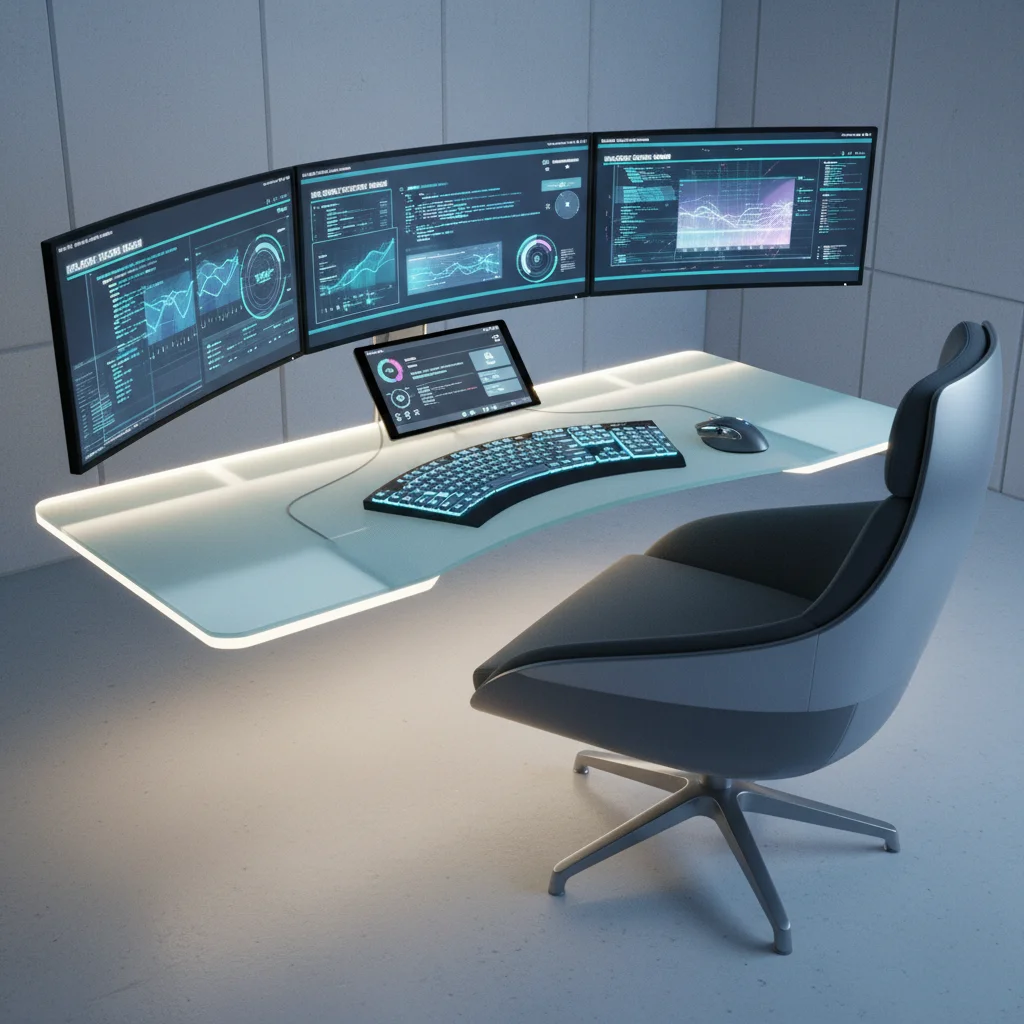
In the rapidly evolving landscape of modern work, the concept of a ‘workspace’ has transcended physical boundaries. Today, for millions worldwide, the workspace is primarily digital. As we look towards 2026, the imperative to maximize efficiency and output within this virtual realm becomes even more critical. Businesses and individuals alike are striving for a significant edge, often aiming for ambitious targets like a 20% increase in productivity. This isn’t merely a lofty goal; it’s an achievable reality through strategic optimization of your digital workspace productivity. This comprehensive guide will delve into the essential strategies, cutting-edge tools, and transformative habits required to revolutionize your digital work environment and propel you towards unprecedented levels of efficiency and success.
The shift to remote and hybrid work models has undeniably highlighted the importance of a well-structured and efficient digital environment. It’s no longer enough to simply have access to digital tools; the key lies in how effectively these tools are integrated and utilized to streamline workflows, minimize distractions, and foster a culture of focused output. Achieving a 20% boost in productivity by 2026 demands a holistic approach, addressing not just technology, but also personal habits and organizational culture. Let’s embark on this journey to redefine your digital workspace productivity.
The Foundation: Understanding Your Current Digital Workspace
Before you can optimize, you must first understand. A thorough audit of your current digital workspace productivity is the crucial first step. This involves a critical examination of the tools you use, the processes you follow, and the habits you’ve developed. Ask yourself:
- What software and applications do I use daily? Categorize them by function (communication, project management, content creation, etc.).
- Where do I spend most of my digital time? Utilize screen time trackers or productivity apps to gain objective insights.
- What are the biggest time sinks or distractions in my digital day? Is it endless email checking, social media notifications, or context switching between too many tabs?
- How effective are my current communication channels? Are there too many platforms, leading to fragmented conversations and missed information?
- Are my files and documents organized and easily accessible? Or do I spend valuable time searching for misplaced information?
This self-assessment will reveal bottlenecks and areas ripe for improvement. For instance, you might discover that you’re using three different chat applications for various teams, or that your cloud storage is a chaotic mess of unsorted folders. Identifying these pain points is paramount to developing targeted solutions for enhanced digital workspace productivity.
Strategic Tool Selection and Integration
The digital tools available today are vast and varied, but more isn’t always better. The goal is to select a curated suite of tools that work seamlessly together, forming a cohesive ecosystem for your digital workspace productivity.
Consolidate and Streamline Communication
One of the biggest drains on productivity is fragmented communication. Juggling emails, multiple chat apps, and various video conferencing platforms can lead to information overload and missed messages. Consider:
- Unified Communication Platforms: Tools like Slack, Microsoft Teams, or Google Workspace offer integrated chat, video conferencing, and file sharing. Choose one that aligns best with your team’s needs and stick to it.
- Email Management: Implement rules, filters, and smart inboxes to manage email volume. Try the ‘Inbox Zero’ approach or dedicated email clients that prioritize important messages.
- Asynchronous Communication: Encourage the use of asynchronous communication for non-urgent matters. This reduces interruptions and allows for focused work blocks.
Mastering Project Management and Task Tracking
Effective project management is the backbone of superior digital workspace productivity. Without a clear overview of tasks, deadlines, and responsibilities, work can quickly become disorganized and inefficient.
- Centralized Project Management Tools: Platforms like Asana, Trello, Jira, or Monday.com provide a centralized hub for tracking projects, delegating tasks, and monitoring progress. These tools offer visual boards, timelines, and reporting features that enhance transparency and accountability.
- Personal Task Managers: For individual tasks, apps like Todoist, Notion, or TickTick can help you organize your daily to-do list, set reminders, and prioritize effectively.
- Integration is Key: Ensure your project management tools integrate with your communication platforms and calendar for a holistic view of your workload.
Leveraging Cloud Collaboration and Document Management
The ability to collaborate seamlessly on documents and share files securely is fundamental to modern digital workspace productivity. Cloud-based solutions have transformed how teams work together.
- Cloud Storage & Collaboration: Google Drive, Dropbox, and OneDrive offer robust solutions for file storage, sharing, and real-time collaborative editing. Standardize on one platform across your team.
- Version Control: Utilize the version history features of these platforms to track changes and revert to previous versions if needed, preventing loss of work and confusion.
- Digital Asset Management (DAM): For media-heavy industries, a DAM system can help organize, store, and retrieve large volumes of digital assets efficiently.

Optimizing Your Digital Environment and Workflow
Beyond tools, the way you set up and interact with your digital environment significantly impacts your digital workspace productivity. Small adjustments can yield substantial gains.
Declutter Your Digital Desktop
A cluttered physical desk is distracting, and the same holds true for your digital desktop. Aim for minimalism:
- Organize Files and Folders: Create a logical, consistent folder structure for your documents. Use descriptive names and tags to make files easily searchable.
- Minimize Desktop Icons: Only keep frequently used applications or files on your desktop. Utilize the start menu or application launcher for everything else.
- One-Click Access: Pin frequently used applications to your taskbar or dock for quick access, reducing time spent searching.
Master Browser Management
Web browsers are central to most digital work, but they can also be a major source of distraction and inefficiency. Improve your digital workspace productivity by:
- Tab Management: Use browser extensions (e.g., OneTab, The Great Suspender) to manage open tabs and prevent memory overload. Close tabs not actively in use.
- Bookmark Organization: Create clear, categorized folders for your bookmarks.
- Ad Blockers & Focus Extensions: Use ad blockers to reduce visual clutter and focus-enhancing extensions that block distracting websites during work hours.
Automate Repetitive Tasks
Automation is a powerful lever for boosting digital workspace productivity. Identify tasks that are repetitive, time-consuming, and rule-based, then seek out automation solutions.
- Workflow Automation Platforms: Tools like Zapier, IFTTT, or Microsoft Power Automate can connect different apps and automate workflows, such as sending notifications, moving files, or generating reports.
- Email Automation: Set up automated responses for out-of-office, or use email templates for frequently sent messages.
- Scripting: For more technical users, learning basic scripting (e.g., Python) can automate tasks within specific applications or operating systems.
Cultivating Productive Digital Habits
Technology is only as good as the habits that govern its use. To truly achieve a 20% increase in digital workspace productivity, you must cultivate habits that support focus, efficiency, and well-being.
Time Management Techniques in a Digital Context
- The Pomodoro Technique: Work in focused 25-minute intervals, followed by short breaks. This helps maintain concentration and prevents burnout.
- Time Blocking: Schedule specific blocks of time for different types of tasks (e.g., ‘Deep Work,’ ‘Meetings,’ ‘Email’). Stick to your schedule as much as possible.
- Prioritization Frameworks: Use methods like the Eisenhower Matrix (Urgent/Important) to prioritize tasks and ensure you’re working on what truly matters.
Minimizing Digital Distractions
Distractions are the arch-nemesis of digital workspace productivity. Proactively manage them:
- Turn Off Notifications: Disable non-essential notifications on your computer and phone. Check messages at designated times.
- Dedicated Focus Time: Schedule periods where you completely disconnect from communication tools to engage in deep, uninterrupted work.
- Use ‘Do Not Disturb’ Modes: Leverage your operating system’s ‘Do Not Disturb’ or ‘Focus’ modes to silence alerts.
- Create a Digital Boundary: If working from home, establish a clear start and end time for your workday to prevent work from spilling into personal life.
Ergonomics and Digital Well-being
Sustained digital workspace productivity is impossible without prioritizing your physical and mental health. Ergonomics and digital well-being are not luxuries but necessities.
- Ergonomic Setup: Invest in a comfortable chair, an external monitor at eye level, and an ergonomic keyboard and mouse. Proper posture prevents strain and fatigue.
- Regular Breaks: Implement the 20-20-20 rule (every 20 minutes, look at something 20 feet away for 20 seconds) to reduce eye strain. Take short stretching breaks.
- Digital Detox: Schedule time away from screens, especially before bed, to improve sleep quality and reduce mental fatigue.
- Mindfulness Practices: Incorporate short meditation or mindfulness exercises into your day to manage stress and improve focus.

Leveraging AI and Advanced Technologies for 2026 and Beyond
The next wave of digital workspace productivity enhancements will undoubtedly be driven by Artificial Intelligence (AI) and machine learning. By 2026, these technologies will be even more integrated into our daily workflows.
- AI-Powered Assistants: Virtual assistants can help schedule meetings, manage emails, and even draft responses, freeing up significant time.
- Smart Search & Information Retrieval: AI algorithms can quickly sift through vast amounts of data to find relevant information, reducing search time.
- Automated Content Creation: AI tools are increasingly capable of generating outlines, drafting summaries, and even writing basic content, accelerating content workflows.
- Predictive Analytics: AI can analyze your work patterns to suggest optimal times for certain tasks or identify potential bottlenecks before they occur.
- Enhanced Cybersecurity: AI-driven security measures protect your digital workspace from threats, ensuring data integrity and minimizing downtime.
Embracing these emerging technologies will be crucial for any individual or organization aiming for a significant leap in digital workspace productivity by 2026. Stay informed about new AI tools and consider how they can be integrated into your existing setup.
Measuring and Iterating Your Productivity Gains
Achieving a 20% increase in digital workspace productivity isn’t a one-time event; it’s an ongoing process of measurement, adaptation, and continuous improvement. Without tracking, you won’t know if your efforts are yielding results.
- Set Clear Metrics: Define what ‘productivity’ means for your role or team. Is it tasks completed, projects delivered, revenue generated, or a combination?
- Use Productivity Tracking Tools: Some project management tools include reporting features. Dedicated time-tracking apps (e.g., Toggl, RescueTime) can provide insights into how you spend your digital time.
- Regular Reviews: Periodically review your chosen tools and habits. Are they still serving their purpose? Are there new, better alternatives?
- Gather Feedback: If working in a team, solicit feedback from colleagues on what’s working and what isn’t in your shared digital workspace.
- Be Flexible: The digital landscape is constantly changing. Be prepared to adapt your strategies and tools as new technologies emerge and your needs evolve.
The goal is to create a feedback loop where you continuously analyze your performance, identify areas for refinement, and implement changes that further enhance your digital workspace productivity. This iterative process ensures sustained growth and adaptation.
Case Studies and Success Stories
Many companies and individuals have already embarked on this journey, demonstrating the tangible benefits of an optimized digital workspace productivity. For instance, a small marketing agency implemented a unified project management system and saw a 30% reduction in missed deadlines within six months. A freelance designer, by automating client communication and file organization, was able to take on 25% more projects without increasing their working hours.
These examples underscore that the principles outlined in this guide are not just theoretical but have real-world applications and measurable impacts. The common thread in these success stories is a proactive and strategic approach to digital optimization, coupled with a commitment to consistent implementation and adaptation.
The Future of Digital Workspace Productivity
As we march towards 2026, the lines between physical and digital workspaces will continue to blur. Augmented reality (AR) and virtual reality (VR) technologies might create immersive digital environments that enhance collaboration and focus. The integration of AI will become even more seamless, anticipating needs and proactively optimizing workflows. Personalization will be key, with digital workspaces adapting dynamically to individual preferences and work styles.
Staying ahead of these trends and continuously investing in the optimization of your digital workspace productivity will not only help you achieve that ambitious 20% increase but also position you as a leader in the future of work. It’s about building a resilient, adaptable, and highly efficient work environment that empowers you to achieve your full potential.
Conclusion: Your Path to 20% More Productivity by 2026
Achieving a 20% boost in digital workspace productivity by 2026 is an ambitious yet entirely attainable goal. It requires a conscious, strategic effort to audit your current setup, select and integrate the right tools, optimize your digital environment, cultivate productive habits, and embrace emerging technologies.
By systematically addressing each of these areas, you can transform your digital workspace from a potential source of distraction and inefficiency into a powerful engine for innovation and output. Start today by reviewing your current practices, making incremental changes, and committing to continuous improvement. The future of work is digital, and mastering your digital workspace is the key to unlocking unparalleled levels of success and efficiency. Embrace the challenge, and watch your productivity soar.